







This is Geometry Dash Lite unblocked: the full game loads straight from geometrydashlite.one in your browser, so you can play Geometry Dash Lite online free on a school Chromebook, a laptop or a phone with no download and no sign-up.
Geometry Dash Lite: the opening levels, one button, and the music doing the counting
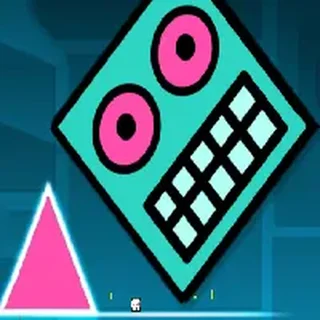
Geometry Dash was Robert Topala's 2013 phone game about a cube that never stops moving. You do not steer it; you only decide when it leaves the ground, and the level is built so that the right moment is always on the beat. Geometry Dash Lite is the free edition RobTop ships alongside the full game: the opening official levels and nothing else, no editor, no online levels. What this page serves is the closest thing the browser has to that: the Lite app itself, built for the web in Unity, with Stereo Madness, Back On Track, Polargeist and the rest of the opening levels, practice mode and checkpoints. It plays the same way the Lite app does. A tap is a jump, a hold is a chain of jumps, a portal turns the cube into a ship or flips gravity, and any contact with a spike or the edge of a block sends you back to the start.
A handful of levels sounds short until you try to finish one. Stereo Madness is the tutorial in disguise: single spikes, then pairs, then the first ship corridor and the first jump pads. Back On Track adds the gravity portals and the long yellow-ring chains where you have to tap in rhythm rather than at a landmark. Polargeist is where most people stall for an evening, with tight ship sections and a jump-ring staircase near the end that punishes early taps. A progress bar across the top shows how far into the level you are, the level menu keeps your best percentage, and practice mode lets you drop checkpoints to drill one section at a time; progress is saved in the browser, so a record set today is still there tomorrow.
Controls & mechanics
| Action | Control | Purpose |
|---|---|---|
| Jump | Click, tap, Space or Up | The cube jumps once; hold to jump again the instant it lands |
| Fly | Hold to climb, release to dive | In ship sections the same button steers up and down |
| Gravity | Blue and yellow portals | Flip which way is down; a jump then heads for the ceiling |
| Rings and pads | Tap on a ring, touch a pad | Yellow rings jump when tapped on them; yellow pads launch on contact |
| Choose level | Play, then the arrows on the level list | Cycle Stereo Madness, Back On Track, Polargeist and the rest |
| Start | Click or tap the level name | Begins the level shown; a crash restarts it (or from the last checkpoint in practice mode) |
Getting past the part you keep dying on
- Listen before you look: Every jump in these levels lands on a beat. If you keep clipping the same spike, stop watching the cube and tap with the music; the timing is written into the song, and the eye reacts later than the ear.
- Hold through the spike runs: A row of single spikes with a block between each one is a held button, not a series of taps. Hold from the first spike and the cube bounces over each one as it lands.
- Feather the ship: In the ship corridors, tap the button in short pulses instead of holding it. A long hold slams you into the ceiling; a rhythm of short presses keeps the ship level down the middle of the tunnel.
- Learn the ending first: Most restarts happen in the final stretch, which you see least often. Once you can reach the last ship section reliably, the goal is to survive the ending; do not take risks early just to get there faster.
Key features
- Three official levels: Stereo Madness, Back On Track and Polargeist with their original layouts, portals and music cues, the same set the Lite edition opens with.
- Cube and ship: The two vehicles that define early Geometry Dash: the jumping cube and the ship that holds altitude on the button, plus the gravity portals that flip both.
- Runs in the page: The whole port is one script served from this site; nothing loads from elsewhere, nothing installs, and your best score for each level is kept in the browser.
Game info
- Title: Geometry Dash Lite
- Developer: RobTop Games
- Category: Dash and Rhythm
- Platform: Web browser (HTML5)
- Version: Unity WebGL build of the Lite app, served from geometrydashlite.one
Pro tip: The jump-ring staircase near the end of Polargeist is a rhythm, not a sequence of reactions: tap once on each ring exactly on the beat and stop looking at the rings themselves. Tapping slightly early on the first ring makes every following ring early too, which is why the run ends there so often.
Frequently asked questions
Is Geometry Dash Lite unblocked at school?
Geometry Dash Lite runs in an ordinary browser tab from geometrydashlite.one, with nothing to download or install, so it plays on most school Chromebooks and work computers. If a network filter blocks the site, only that network's administrator can change it.
Is this the real Geometry Dash Lite?
It is a browser version of the same idea: the web build of the Lite app, with Stereo Madness, Back On Track, Polargeist and the rest of the opening official levels, with the original layouts and timing. The official Geometry Dash Lite app is RobTop's own free edition for phones; this port is the closest thing the browser has, and we say so rather than pretend.
Which levels are included?
Stereo Madness, Back On Track and Polargeist, the same three that open the official Lite app. Use the white arrows on the title screen to switch between them. There is no level editor and no online levels in this version.
What are the controls?
Click, tap, Space or the up arrow to jump; hold it to keep jumping as you land. In ship sections the same button lifts you when held and drops you when released. Clicking or tapping the level name on the title screen starts it.
Does my progress save?
Your best score for each level is kept in the browser, so it survives a refresh and a closed tab on the same device. Clearing site data resets it.
Does it work on a phone?
Yes. The port is tap-controlled, so a phone or tablet works; landscape is the right way round. It is a 13 MB script the first time, so the first load takes a moment on a slow connection and is instant after that.